
Features
Reading support, writing support, visual aids and accessibility — all in one toolbar that lives on every web page.
Text-to-speech everywhere a student reads.
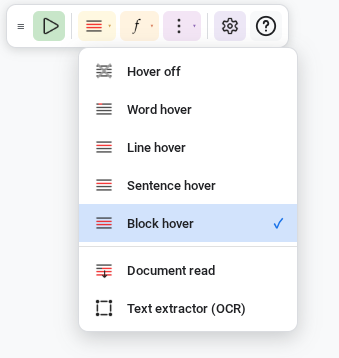
Hover the cursor over text, or select a passage with the mouse or keyboard. Readable speaks the result with the device's text-to-speech voices, underlining each word as it goes.
- Five hover modes — word, line, sentence, block, or off — so students choose how much they want to hear at a time.
- Document read for the whole page top to bottom — useful for getting through an article hands-free.
- Adjustable rate, pitch and volume. Test before committing.
- Silent mode toggle with one keyboard shortcut, for when a student needs to take a break from speech without losing their settings.
Soften the page so the words come through.
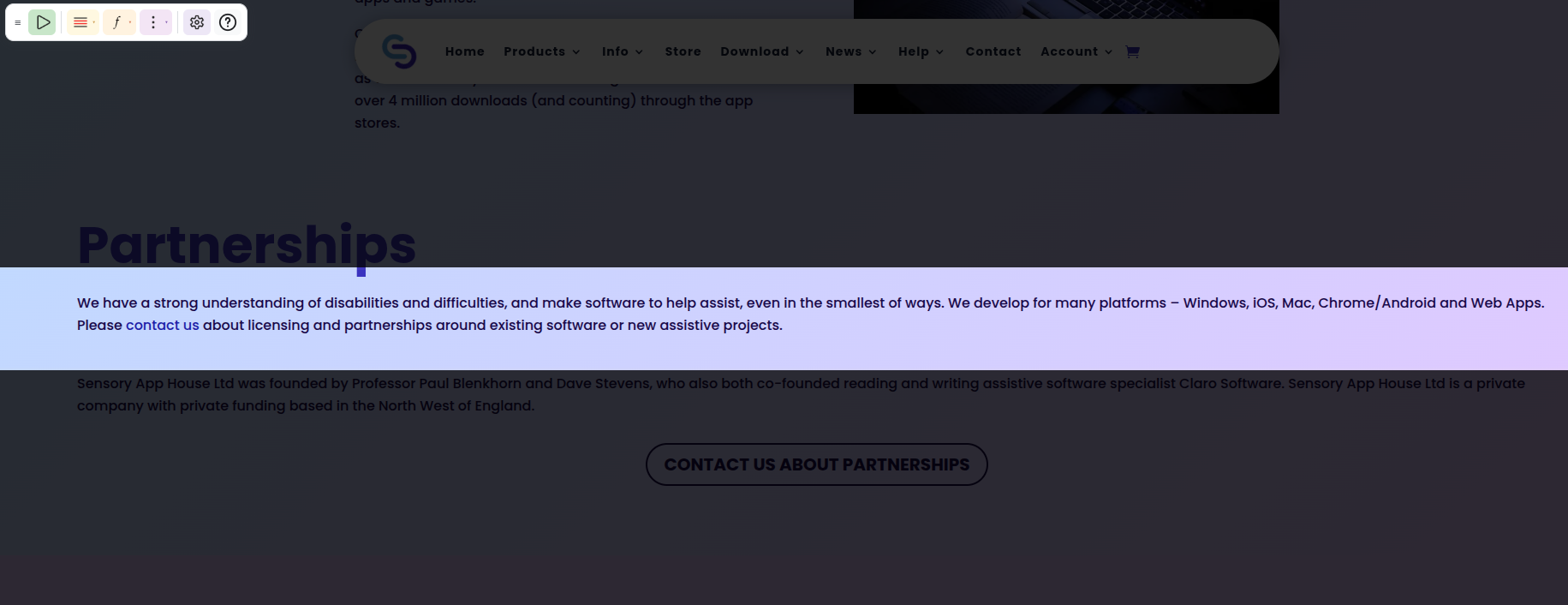
Many learners read better when the page itself is calmer. Readable offers four overlays that work on any web page or PDF.
- Colour tint — a gentle wash across the screen, with full colour-picker control and adjustable opacity.
- Reading ruler — a horizontal band that follows the cursor, helping the reader stay on the current line.
- Dim band — fades everything outside the ruler, narrowing focus to just the line being read.
- High contrast — forces a black-on-white-or-yellow palette across every page, for very-low-vision users.
Reformat the page without changing it.
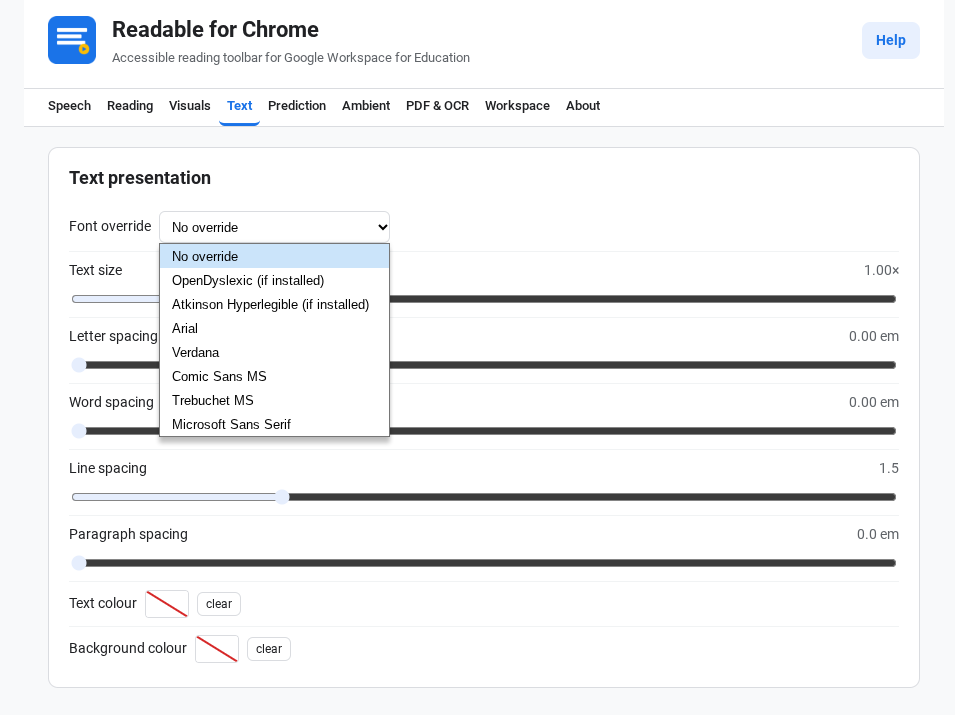
Override the page's own typography for the reader, while leaving the original page untouched for everyone else.
- Dyslexia-friendly fonts — OpenDyslexic and Atkinson Hyperlegible. Plus Arial, Verdana, Comic Sans MS, Trebuchet MS and Microsoft Sans Serif.
- Letter, word, line and paragraph spacing — independently adjustable.
- Text and background colour overrides — full colour pickers with a "no override" reset.
- Per-page or persistent — your choice.
Writing support, on the page and in the cloud.
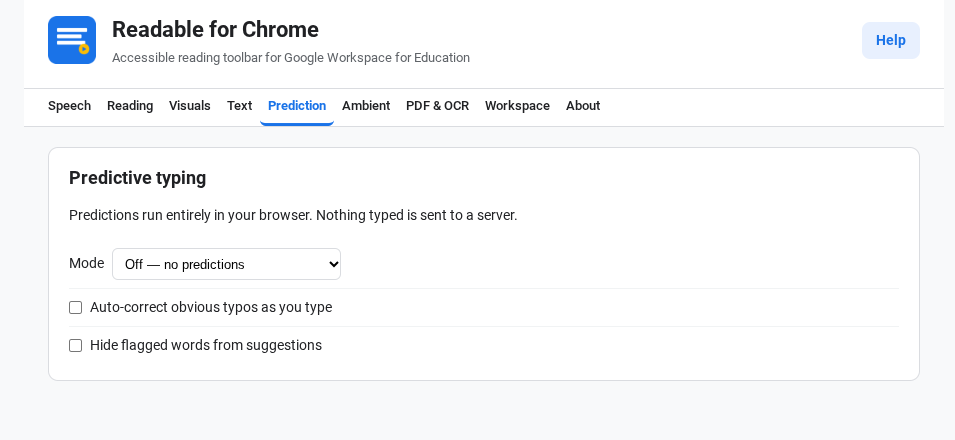
A small popup of next-word suggestions appears as students type — in any web text field, including Google Docs, Forms and Gmail.
- Word frequency from a built-in 20,000-word table plus a lemmatiser ported from SymWord.
- Optional symbol mode — a small picture above each suggested word, for emerging readers.
- Auto-correct for obvious typos, optionally on.
- Flagged-words filter — keeps inappropriate suggestions out of view, managed by the school.
- All on-device — nothing typed leaves the browser.
Read what isn't yet text.
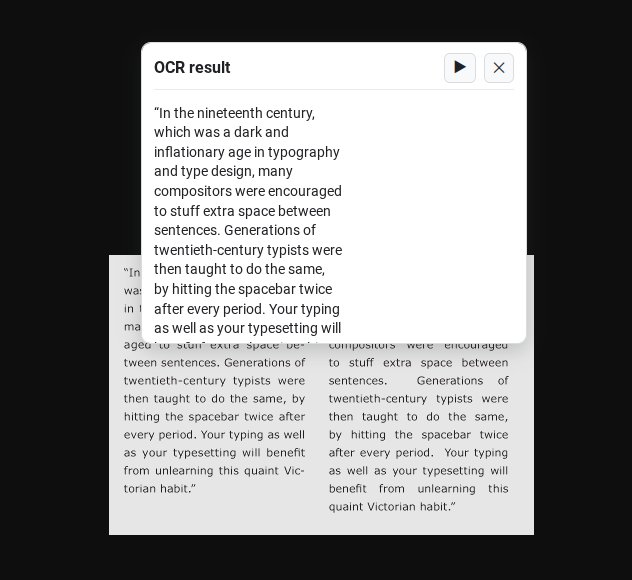
Scanned worksheets, photos of textbook pages, screenshots of slides — content that lives inside images. Drag a rectangle around it; Readable extracts the text and reads it aloud.
- Six languages built in — English, French, Spanish, German, Italian, Portuguese.
- More languages available via managed deployment.
- On-device — captured pixels and recognised text never leave the browser.
- Available everywhere — toolbar button, keyboard shortcut, right-click on the page, or right-click the extension icon.
Built for the apps students use every day.
Docs & Slides
Reads canvas-rendered text via Google's annotated-canvas accessibility tree plus a copy-based bridge. Hover, select, ruler and tint all work.
Gmail
One keyboard shortcut reads the open message — subject and body. Hover-to-speak and select-to-speak work as elsewhere.
Classroom
Assignments, announcements and materials read aloud with one shortcut. The whole assignment, in the student's chosen voice.
Forms
Question text and instructions read on hover or selection. Predictive typing works inside long-answer fields.
Drive, Meet, Keep, Sites
Hover-to-speak and select-to-speak across Drive previews, Meet captions, Keep notes and Sites pages.
PDF viewer
Built-in viewer (Mozilla pdf.js) so every accessibility feature works on PDFs. Read whole-document or page-by-page.
Word lookup with phonetic pronunciation.
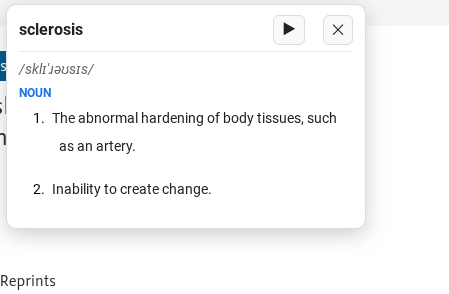
Right-click any word — selected, or wherever the cursor is — and Readable shows the definition in a small popup. Phonetic pronunciation, part of speech, numbered definitions, and a button to hear it read aloud.
- Three entry points — right-click on a selection, on empty page area, or on the extension icon.
- Optional and admin-disablable for schools with strict network policies.
Background sound to support focus.
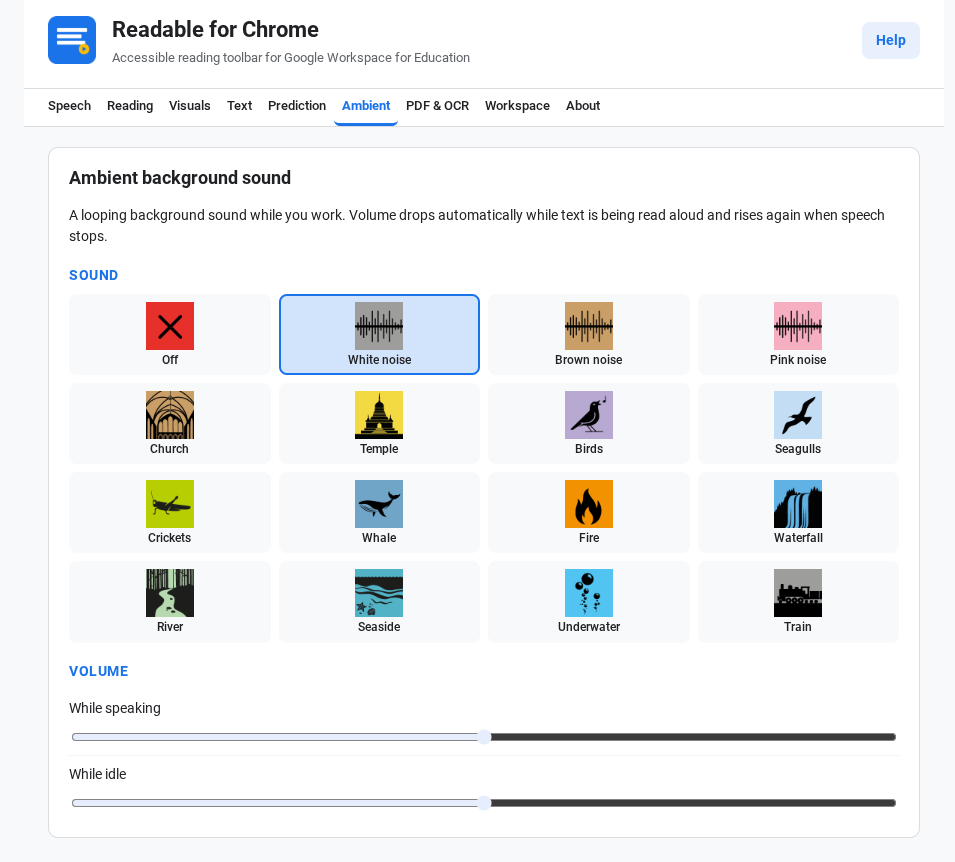
Sixteen looping tracks bundled with the extension. Pick one, set its volume, and it plays gently in the background while a student reads.
- Three flavours of broadband noise — white, brown, pink.
- Natural soundscapes — birds, seagulls, crickets, whale song, river, waterfall, seaside, fire, train, underwater.
- Reverberant interiors — church, temple.
- Independent volumes for "while speaking" and "while idle" — so the ambient ducks out of the way during text-to-speech.
Everything Readable does, in one place.
Reading
Five hover modes. Select-to-speak. Document read. Word-by-word underline tracking. Adjustable rate, pitch, volume. Silent mode toggle.
Visuals
Colour tint with full picker. Reading ruler with cursor tracking. Dim band tied to the ruler. Forced high-contrast mode.
Text presentation
Eight font choices including OpenDyslexic and Atkinson Hyperlegible. Letter, word, line and paragraph spacing. Text and background colour override.
Writing
Predictive typing with optional symbols. Auto-correct. Flagged-words filter. Works on Docs, Forms, Gmail and any web text field.
Reading pictures
OCR with cross-hair selection. Six built-in languages. Result popup with play and copy. Available from toolbar, shortcut, right-click.
Dictionary
Right-click word lookup. Phonetic pronunciation. Numbered definitions. Read-aloud playback.
Ambient sound
Sixteen bundled tracks. Independent volumes for speaking and idle. All audio bundled — no network.
PDF viewer
Mozilla pdf.js base. Read whole document or page. Search, zoom, navigate. Every accessibility feature applies.
Workspace
Floating toolbar in any corner, in three colour modes. Right-click menus across page, selection and extension icon.
Ready to see it on your Chromebook?
Install in under a minute, or request an evaluation for a guided trial across your fleet.